
Business
EPFO UAN Update: Generate or Activate Your UAN From Home Using Aadhaar Face Authentication on UMANG
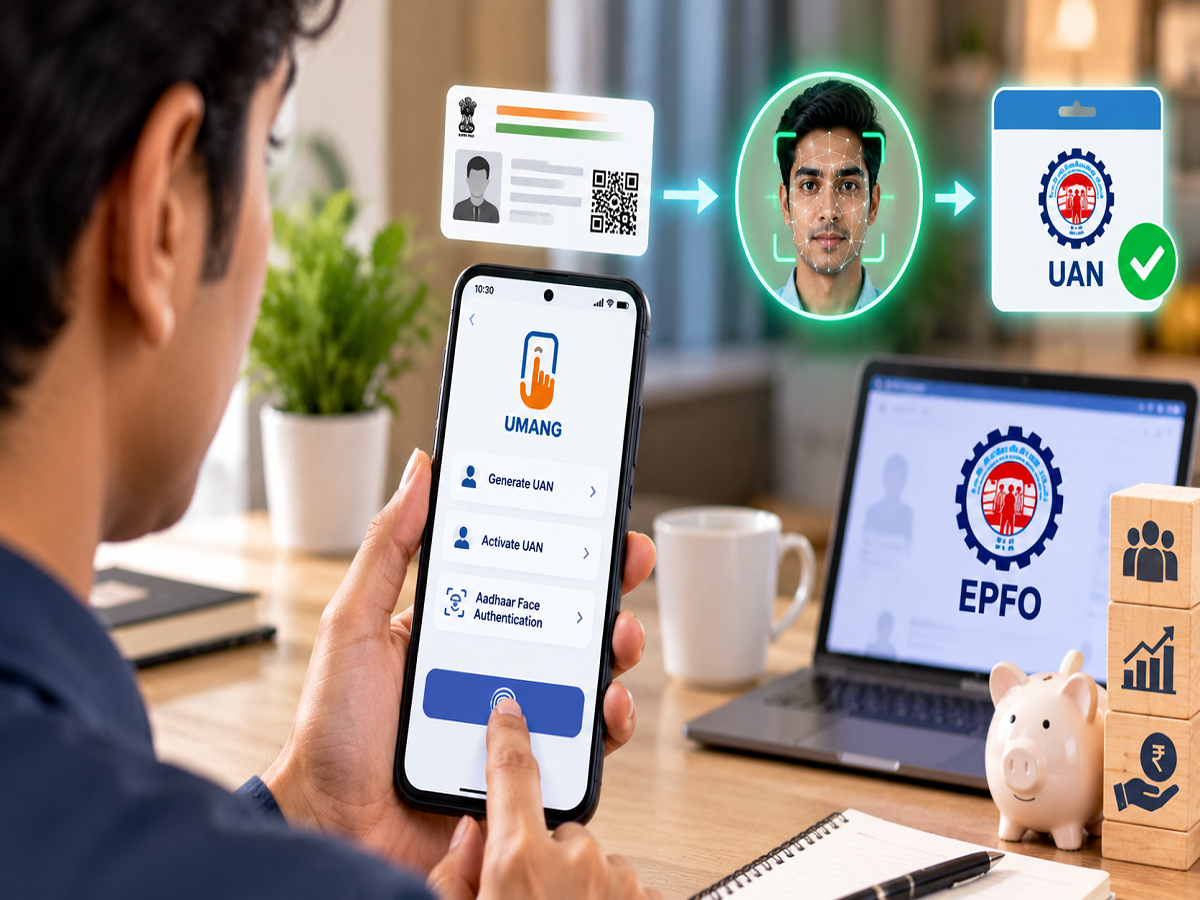
EPFO UAN Update: Employees no longer need to depend entirely on their employer or visit an EPFO office for some important Universal Account Number (UAN) services. The Employees’ Provident Fund Organisation has enabled UAN generation and activation through the UMANG app using Aadhaar-based Face Authentication Technology (FAT).
The facility allows a new EPFO member to generate and activate a UAN digitally, while an employee who already has a UAN but has not activated it can complete the activation process through a smartphone. EPFO’s official member portal currently directs users to UMANG for both new UAN generation and existing UAN activation.
Once the UAN is activated, members can access several online EPFO facilities, including viewing their PF balance, downloading their passbook, checking claim status and carrying out eligible KYC-related activities.
What Has Changed for EPFO Members?
The UAN is a permanent identification number associated with an EPFO member. It helps link different PF Member IDs that may be created when an employee changes jobs.
Earlier, employees often depended on employers for UAN generation. EPFO has acknowledged that employer-generated records sometimes contained incorrect or incomplete information, resulting in problems that subsequently needed correction.
The Aadhaar Face Authentication-based process is designed to make UAN generation more accurate because user information is validated against Aadhaar records. EPFO says the process also matches the user's mobile number with the number registered with Aadhaar.
What Do You Need Before Starting?
Employees who want to use the UAN facility through UMANG should keep a few things ready.
A valid Aadhaar number is required, along with access to the mobile number linked to Aadhaar so that OTP verification can be completed. Users also need the Aadhaar Face RD app for facial authentication.
The face-authentication process verifies the individual against Aadhaar records, reducing the dependence on manually entered identity information.
How to Generate a New UAN Through UMANG
An employee who does not already have a UAN can complete the process from a smartphone.
Open the UMANG app and navigate to EPFO Services. Under “UAN Services Through Face Auth,” choose “UAN Allotment and Activation.”
Enter your Aadhaar number and the required mobile details and provide consent for Aadhaar validation. An OTP will then be sent for verification.
The system checks whether the Aadhaar number is already associated with a UAN. If it is not, the user can proceed with face authentication.
After consent is provided, the phone's camera is used to complete the live face scan. Once the identity is successfully authenticated against Aadhaar records, the UAN is generated.
EPFO says the newly generated UAN is sent to the registered mobile number through SMS and is simultaneously activated. The employee can subsequently download the e-UAN card.
Already Have a UAN? You Can Activate It Too
The feature is not limited to employees entering the EPF system for the first time.
If you already have a UAN but it has not yet been activated, the activation can also be completed through UMANG using Aadhaar-based face authentication.
Users need to open the relevant EPFO section in UMANG and select the UAN Activation facility under UAN Services Through Face Auth.
The current EPFO member portal specifically states that its UAN activation facility has been discontinued and directs members to complete activation through the UMANG app.
What Can You Do After Activating Your UAN?
Activating the UAN is important because it unlocks access to a range of online EPFO services.
Depending on the service and applicable requirements, an activated UAN can help members check their EPF balance, view or download the PF passbook, track claims and perform KYC-related activities digitally.
This can be particularly useful for employees who want to manage routine PF-related work without repeatedly visiting an EPFO office.
Face Authentication Can Reduce Data Errors
One of the key reasons behind the new system is to improve the accuracy of member records.
Under the face-authentication process, details are obtained and validated using Aadhaar rather than relying solely on manually entered information.
According to EPFO, this can reduce errors in member information and improve identity verification at the time a UAN is created. It also allows employees to generate their UAN themselves rather than relying entirely on their employer.
For someone joining an EPFO-covered organisation for the first time, this can make the onboarding process more straightforward.
New UAN Generation Through Face Authentication Is Mandatory
This is more than an optional digital facility for new UAN generation.
EPFO introduced Aadhaar Face Authentication-based UAN generation in April 2025 and subsequently made the self-service method through UMANG mandatory from August 1, 2025. EPFO's own newsletter says the system allows members to generate their UAN instantly and can also be used to activate or authenticate existing UANs.
Therefore, employees looking for the old direct UAN-generation option on the EPFO member portal may no longer find it available there.
What If Face Authentication Fails?
Face authentication can occasionally fail because of technical or scanning problems.
EPFO's guidance indicates that users can retry the process if face authentication fails. For a successful scan, it can help to use the phone in a well-lit environment, avoid excessive shadows and ensure the front camera lens is clean.
If the problem persists, users can seek assistance through the appropriate UMANG or EPFO support channel.
Be Careful of Fake UAN and KYC Messages
As more PF services move online, members should also remain alert to fraud.
Never disclose your UAN password, Aadhaar OTP, banking PIN or other confidential credentials to someone calling or messaging you with an offer to “activate” your PF account.
For UAN generation or activation, use the official UMANG application and EPFO's authorised services rather than links received from unknown numbers.
EPFO Services Are Becoming Easier to Access From Home
The Aadhaar Face Authentication facility makes an important part of EPFO account management accessible directly from a smartphone.
A new employee can generate and activate a UAN, while an existing member with an inactive UAN can complete activation without following the older portal-based process.
Once activated, the UAN becomes the gateway to several digital PF services, making it easier to monitor retirement savings and manage EPFO-related tasks.
The essential requirements are straightforward: keep your Aadhaar details ready, ensure you have access to the Aadhaar-linked mobile number, install UMANG and Aadhaar Face RD, and complete the required OTP and face verification.
For millions of EPFO members, this means one more important PF-related process can now be completed from home without unnecessary paperwork or dependence on an employer.
Disclaimer: EPFO procedures and digital services can be updated periodically. Members should check the latest instructions on the official EPFO or UMANG platform before completing UAN, KYC or claim-related transactions.