Technology
Phone Warranty Check: How to Use Your IMEI Number to Find Out If Your Smartphone Is Still Covered
Smartphones have become an essential part of everyday life, but an unexpected hardware problem can quickly turn into an expensive repair. A damaged component, display issue, charging fault or another technical problem may cost a significant amount to fix once the manufacturer's warranty has expired.
That is why knowing whether your smartphone is still covered under warranty can be useful before taking it for repairs. While the purchase invoice and original box are commonly used to check warranty information, your phone's IMEI number can also help identify the device and may be used on a manufacturer's support platform to retrieve warranty or coverage details.
However, the exact process differs between smartphone brands, and an IMEI number alone does not automatically guarantee access to warranty information for every device.
What Is an IMEI Number?
IMEI stands for International Mobile Equipment Identity. It is a unique identification number assigned to a mobile device.
An IMEI is normally 15 digits long and is used to identify a handset on mobile networks.
If you own a dual-SIM smartphone, you may notice that the device has two IMEI numbers. This is normal because each SIM-related mobile network interface can have its own identification number.
The IMEI can also be useful when identifying the exact device for support, service and other manufacturer-related purposes.
How to Find the IMEI Number on Your Phone
There are several ways to locate the IMEI number of a smartphone.
One of the easiest methods on many phones is to open the dialer and enter *#06#. The device usually displays its IMEI information immediately.
You may also find the number inside the phone's Settings menu. Depending on the manufacturer and operating system, it can appear under sections such as “About Phone,” “Device Information” or “Status.”
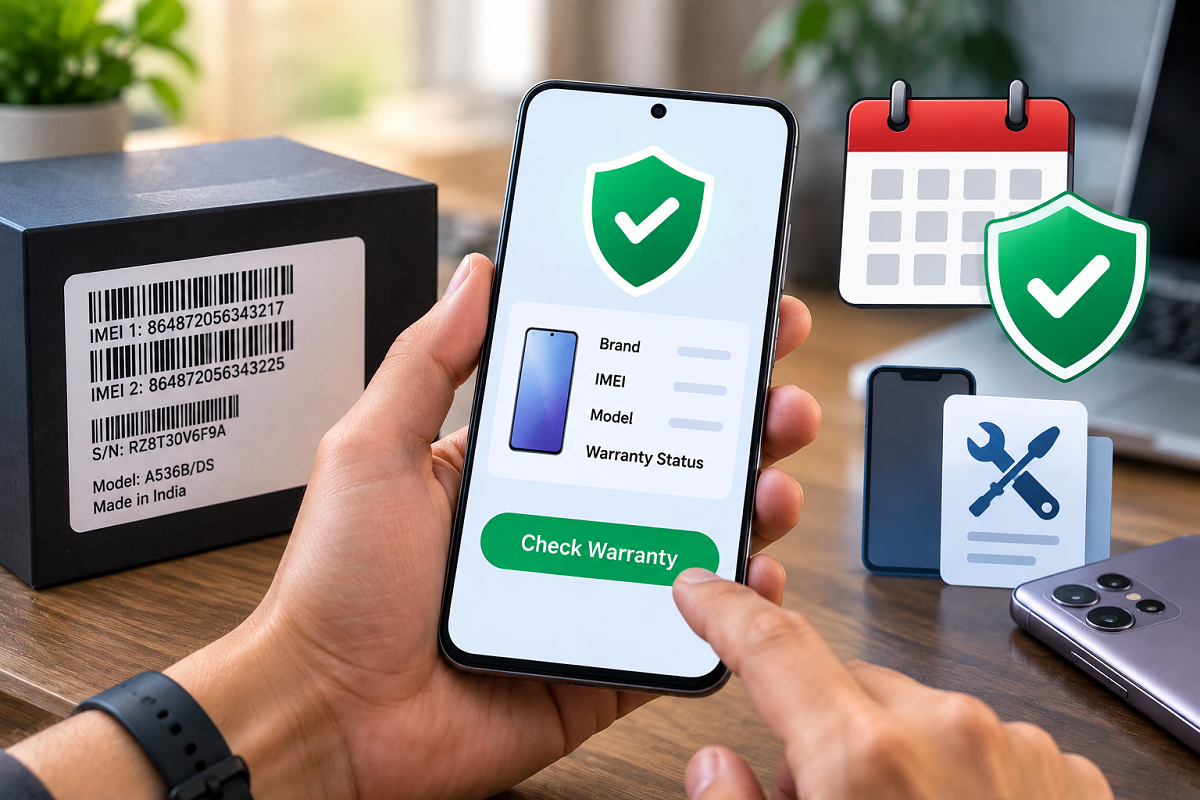
The IMEI may additionally be printed on the original retail box or included in device documentation.
Can IMEI Be Used to Check Phone Warranty?
In some cases, yes. Smartphone manufacturers may provide an online warranty or device-coverage checker where customers can enter identifying information such as an IMEI or serial number.
After the required device information is submitted, the manufacturer's system may display details about the phone's warranty or service coverage.
The information available varies by brand. It may include the device model, warranty status, activation information or estimated coverage period.
Consumers should preferably use the smartphone manufacturer's official website, app or authorised support channel when checking these details.
Step-by-Step Way to Check Warranty Status
First, find the IMEI number of the smartphone you want to check.
Next, visit the official support or warranty-check page of the phone manufacturer. Look for an option such as “Check Warranty,” “Coverage Status,” “Device Support” or a similar service.
Enter the requested IMEI or serial number and complete any verification required by the website.
If the manufacturer supports online warranty lookup for your device, the page should provide the available coverage information.
Some manufacturers may ask for additional details rather than relying only on the IMEI number.
What If the Online Tool Does Not Show the Warranty?
An unsuccessful IMEI lookup does not necessarily mean your smartphone is out of warranty.
The manufacturer may use a serial number, purchase date, invoice or activation record instead. There may also be cases where the company's database does not have sufficient information to determine the correct warranty start date.
If the online check does not provide a clear answer, customers can contact an authorised service centre or the manufacturer's customer-support team.
Keeping the original purchase invoice remains important because it can serve as proof of the purchase date if there is any dispute over warranty eligibility.
Warranty Does Not Cover Every Type of Damage
A smartphone being “under warranty” does not mean every repair will necessarily be free.
Manufacturer warranties generally come with specific terms and exclusions. Coverage can depend on the type of defect, how the damage occurred and the manufacturer's warranty policy.
For example, manufacturing or hardware defects covered by the warranty may qualify for service without the usual repair charge. Accidental or physical damage may be treated differently unless the customer has a separate protection plan covering such incidents.
Users should therefore check the applicable warranty conditions before assuming that a repair will be free.
Be Careful While Sharing Your IMEI
Although an IMEI is useful for identifying a smartphone, users should avoid posting it publicly or sharing it unnecessarily with unknown websites or individuals.
When checking warranty information, use the manufacturer's official website, official application or authorised service channel wherever possible.
Avoid entering your device details on suspicious third-party websites simply because they claim to provide an instant warranty check.
Why Checking Warranty Before Repair Can Save Money
Knowing your phone's warranty status before paying for repairs can prevent unnecessary expenses.
If the problem qualifies for manufacturer warranty coverage, an authorised service centre may be able to repair or replace eligible components according to the applicable terms.
On the other hand, if the warranty has already expired, you can ask for a repair estimate before deciding whether fixing the device is financially worthwhile.
Bottom Line
You do not always need to search through old paperwork just to begin checking whether your smartphone may still be under warranty. The phone's IMEI number can help identify the device and, where supported by the manufacturer, can be used to retrieve warranty or coverage information.
Find your IMEI through the phone settings, device packaging or the commonly supported *#06# method, and then use the manufacturer's official support platform to check available warranty details.
Most importantly, remember that the exact warranty-checking process varies by smartphone brand. Keep your purchase invoice safely stored and use authorised support channels if an online IMEI lookup does not provide a definitive warranty status.