
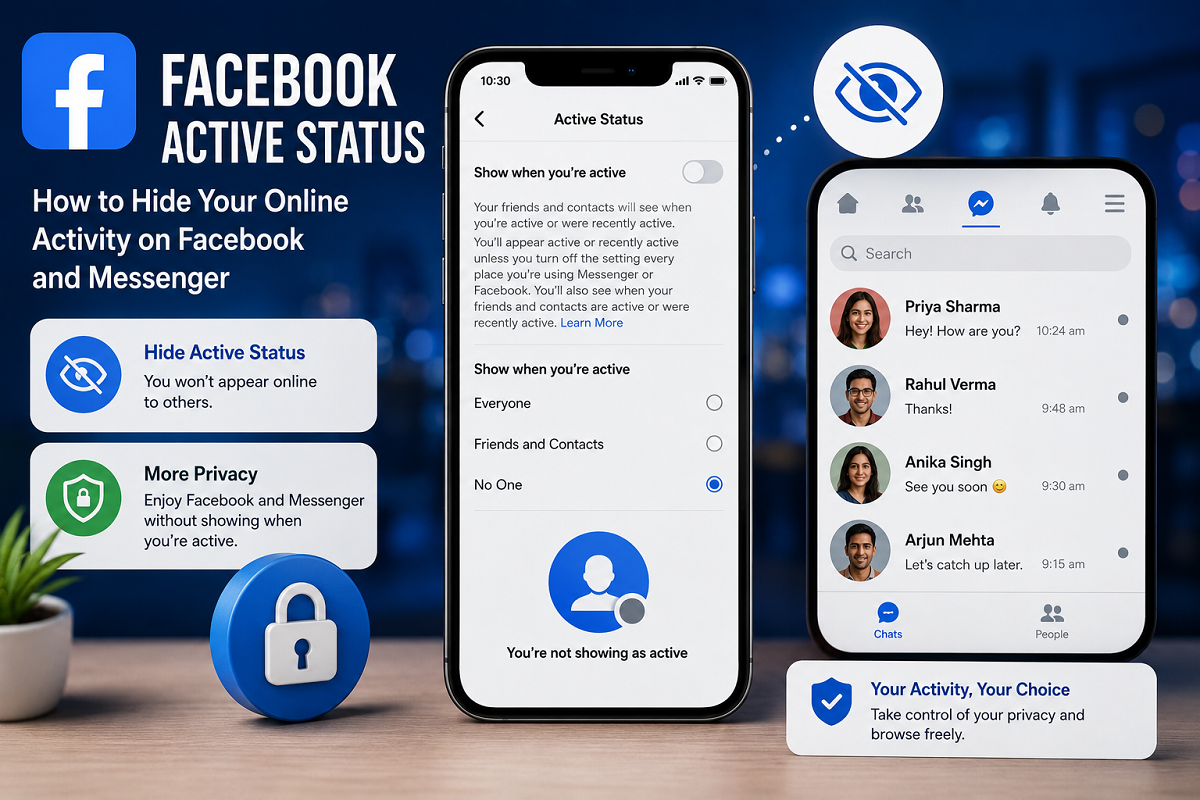
Many Facebook users prefer to browse posts, watch videos or check messages without letting others know that they are currently online. If you also want more privacy while using Facebook, you can turn off the platform’s Active Status feature.
Once Active Status is disabled, your friends and contacts generally won’t see the indicator showing that you are active or recently active. However, there is an important trade-off: when you turn off your Active Status, you may also lose the ability to see the active status of other people.
Here’s how the feature works and how you can turn it off on Facebook and Messenger.
What Is Active Status on Facebook?
Active Status is a Facebook and Messenger feature that indicates whether you are currently active or were recently active on the platform.
When the feature is enabled, people you’re connected with may see an active indicator next to your profile picture or information about when you were recently online.
If you would rather keep this information private, Facebook provides an option to disable Active Status.
What Happens When You Turn Off Active Status?
Turning off Active Status is mainly about controlling the visibility of your online presence. Your Facebook account continues to work normally, and you can still browse your Feed, watch Reels, comment on posts and use other features.
You can also continue sending and receiving messages on Messenger.
The main difference is that eligible contacts will no longer be shown the same indication that you are currently active or recently active.
Keep in mind that hiding Active Status does not make everything you do on Facebook invisible. Actions such as liking a post, commenting, sharing content or sending someone a message can still reveal that you have recently used the platform.
How to Turn Off Active Status on the Facebook App
The exact menu names may vary slightly depending on the Facebook app version and device, but the process generally starts from the app’s Settings.
Open the Facebook app on your smartphone and sign in to your account. Tap the Menu or profile picture, then open Settings & Privacy and select Settings.
Look for Active Status in the available settings. Once you open it, find the option labelled Show when you're active and switch the toggle off.
Confirm the change if Facebook asks you to do so.
After this setting is disabled, your active status should no longer be displayed in the same way to other users through that service.
How to Hide Active Status on Messenger
Facebook and Messenger are closely connected, but Active Status settings may also need attention inside Messenger.
Open the Messenger app and tap your profile picture or menu icon. Navigate to the section containing Active Status settings.
You should see an option such as Show when you're active. Turn it off and confirm your selection if prompted.
Depending on the version of Messenger you are using, you may also see additional controls related to showing when you are active together with other people.
Should You Change the Setting on Both Facebook and Messenger?
If your goal is to keep your online status as private as possible across Facebook’s messaging services, check the Active Status settings wherever you use Facebook or Messenger.
Turning the setting off in one place may not necessarily mean your activity status is hidden everywhere, particularly if you use Facebook or Messenger across multiple apps, browsers or devices.
It is therefore worth reviewing the setting on both Facebook and Messenger.
How to Turn Off Facebook Active Status on a Computer
If you regularly use Facebook through a desktop or laptop browser, you can also review your Active Status settings there.
Sign in to Facebook and open the Chats or Messenger area. Look for the options menu associated with chat or Active Status and select the relevant privacy control.
From there, you can turn off your Active Status. Facebook’s interface changes periodically, so the exact wording or location of the option may differ.
Can You Still Use Messenger After Hiding Active Status?
Yes. Disabling Active Status does not disable Messenger.
You can continue reading conversations, sending messages, sharing photos and using other Messenger features.
However, if you open and read a message, the sender may still see a Seen indicator where that feature applies. Active Status and read receipts are different features, so turning off Active Status should not be confused with hiding whether you have read a message.
Will People Know You Have Turned Off Active Status?
Facebook does not normally display a message to your friends saying that you have deliberately switched off Active Status.
Instead, they simply may not see you listed as currently active or recently active.
Still, your other activity can indicate that you are using Facebook. For example, if you immediately reply to a message or leave a new comment, someone could reasonably conclude that you are online even though your Active Status is hidden.
Can You See Other People's Online Status After Turning Yours Off?
Facebook generally applies Active Status visibility in both directions. If you turn off your Active Status, you may not be able to see when other people are active or recently active either.
This is an important point to consider before disabling the feature.
If seeing when friends or contacts are online is useful to you, hiding your own Active Status may reduce that functionality.
Active Status Is Not the Same as Complete Privacy
Turning off Active Status can provide more control over whether others can see when you are online, but it should not be considered an “invisible mode.”
Facebook can still process account activity according to its services and privacy policies, and actions you take publicly or in conversations can still be visible to other users.
The feature primarily changes how your online or recently active status appears to other people.
What to Do If Active Status Still Appears
If someone can still see you as active after you have changed the setting, check whether you are logged into Facebook or Messenger on another device.
Review Active Status settings in both apps and on the web version if you use them. You can also make sure that your Facebook and Messenger apps are updated.
Facebook frequently changes the design and location of settings, so the steps displayed on one phone may look slightly different on another.
For the latest instructions, users can also check Facebook Help Center.
Bottom Line
If you don’t want Facebook friends or Messenger contacts to easily see when you are online, disabling Active Status is one of the simplest privacy controls available.
Check the setting in both Facebook and Messenger, especially if you use multiple devices. Remember that disabling it hides the online-status indicator—it does not hide comments, messages, likes or other visible activity.
For users who simply want to browse Facebook without continuously advertising when they are online, turning off Active Status can provide a useful extra layer of privacy.