Technology
Zombie Accounts Explained: How Forgotten Online Profiles Can Put Your Personal Data at Risk
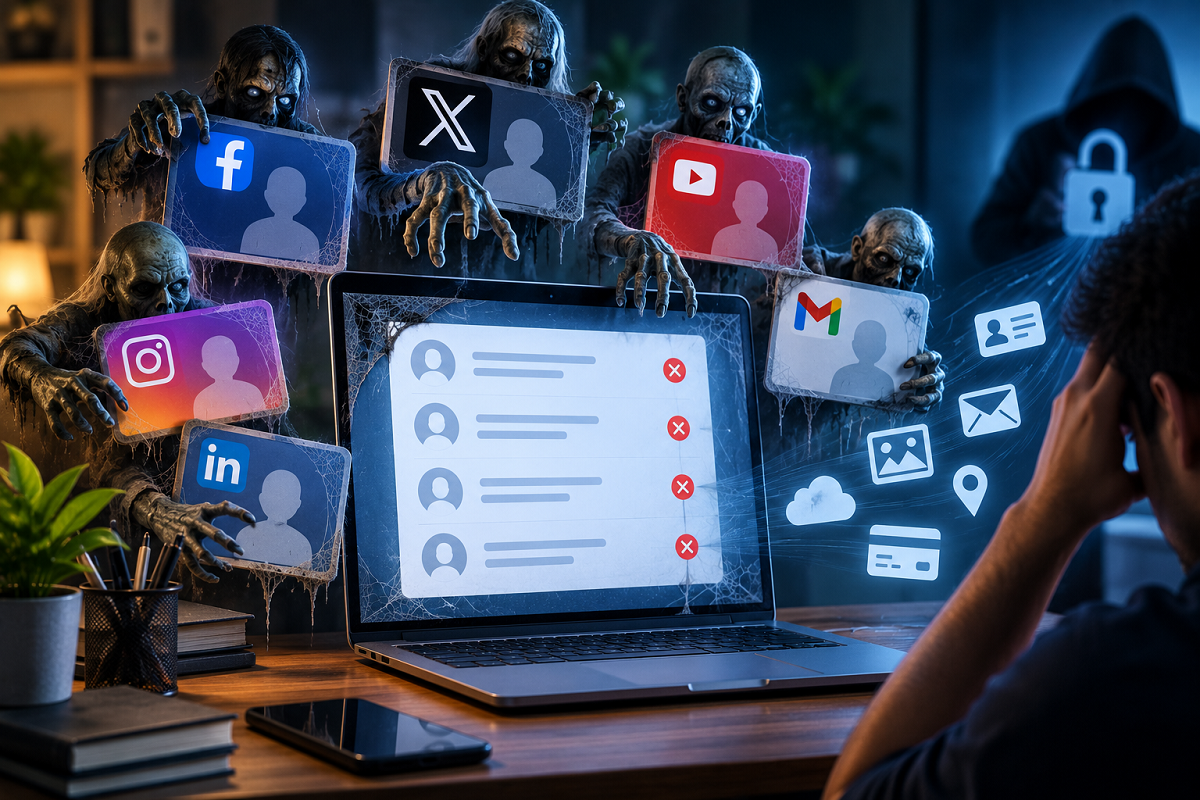
Most people create dozens of online accounts over the years. Some are used for shopping, others for free trials, gaming, forums, newsletters, social media or temporary services. Once those platforms are no longer useful, the accounts are often forgotten.
However, an account that you no longer use does not automatically disappear from the internet. If it remains active on a website or app, it may continue storing personal information such as your name, email address, phone number, old address, profile details or even saved payment-related data.
Such forgotten or long-unused profiles are often referred to as “Zombie Accounts.” While they may appear harmless, they can become a cybersecurity risk if they are left unattended for years.
What Is a Zombie Account?
A Zombie Account is an old online account that is no longer actively used by its owner but has not been permanently deleted.
For example, you may have signed up for a shopping website five years ago, created an account on a gaming platform, joined an online forum or registered for a trial service that you stopped using soon afterward.
Even if you never log in again, that account may still remain on the company's servers.
Depending on the service, it could continue holding your email ID, mobile number, profile information, login credentials and other personal details.
The main problem is that users often forget these accounts exist, which means they also stop monitoring them for suspicious activity.
How Can an Old Account Lead to a Data Leak?
The biggest risk arises when a website or online service suffers a security breach.
If hackers manage to steal user information from a platform, data belonging to inactive accounts may also be exposed along with details of active users.
This means an account you created years ago could still become part of a future data breach.
The risk is even greater when users have reused the same password across multiple websites.
If cybercriminals obtain an old email and password combination from a breached account, they may try those same credentials on other services.
This type of attack can put current email, social media, shopping and other online accounts at risk.
Password Reuse Makes the Problem More Serious
Using the same or similar password on several websites is one of the biggest reasons a forgotten account can become dangerous.
Suppose you created an online account years ago using a password that you still use for your current email account.
If the older website is compromised and its password database is leaked, attackers may attempt to use those credentials elsewhere.
Even if the forgotten account itself contains nothing valuable, the leaked password could provide a path toward more important accounts.
For this reason, a Zombie Account should not be seen only as an unused digital profile. It can also be linked indirectly to your present online security.
Which Old Accounts Should You Check First?
A useful first step is to think about websites and apps you have used over the past several years.
Pay particular attention to old shopping accounts, gaming platforms, discussion forums, trial subscriptions, social media profiles, newsletters and other services that you no longer use.
Search your email inbox for old registration, welcome, verification or password-reset messages. These can help identify accounts you may have forgotten.
Once you find an unused account, do not assume that simply logging out is enough.
Logging out only ends your current session. It does not delete the account or remove the information stored by the platform.
Delete Accounts You No Longer Need
If a service offers a permanent account deletion option and you are certain you no longer need the account, deleting it can reduce unnecessary exposure.
Before doing so, review what information is stored there.
Check whether the account contains saved addresses, payment methods, uploaded documents, photos, private messages or other personal details.
Where possible, remove sensitive information before closing the account.
Deleting unused profiles can reduce the number of places where your personal data continues to exist online.
Take a Backup Before Deleting Important Data
Before permanently closing an old account, make sure you do not lose anything you may need later.
Download or save important photographs, documents, messages, invoices or other records stored on the platform.
After backing up useful information, remove unnecessary personal details and review any saved cards or payment information.
This is particularly important for older shopping, travel or subscription accounts that may still hold billing information.
What If You Don't Want to Delete the Account?
Some users may want to keep an old account for future use.
In that case, security should be updated before leaving it inactive again.
Change the password to a strong and unique one that is not used anywhere else.
Where available, enable two-factor authentication, also known as 2FA.
Two-factor authentication adds an extra verification step beyond the password and can make it more difficult for an attacker to access the account even if login credentials are exposed.
Also Check the Email Linked to Old Accounts
Your email account is often the recovery point for many other services, which makes its security especially important.
If an old account uses an email address that you still actively use, make sure the email password is unique and protected with 2FA.
If an old password has ever been reused on your current email, social media or financial services, changing those passwords should be a priority.
Using a password manager can also make it easier to create and store different passwords for separate accounts.
Why Zombie Accounts Should Not Be Ignored
The danger of an inactive account is that it can remain unnoticed for a long time.
You may not receive alerts, check login activity or notice changes because you no longer use the service.
At the same time, the platform may still retain personal data associated with your profile.
If that service later experiences a cyberattack, the forgotten account could expose information you assumed was no longer relevant.
The Bottom Line
Zombie Accounts are old or inactive online profiles that remain open even after users stop using them.
Although they may appear harmless, they can increase cybersecurity risk, especially when they contain personal information or use passwords that are also used on other websites.
A periodic digital clean-up can help reduce this exposure. Review old websites and apps, delete accounts you no longer need, remove stored personal and payment information, use unique passwords and enable two-factor authentication wherever possible.
The fewer forgotten accounts you leave online, the smaller your unnecessary digital footprint becomes—and that can make it harder for cybercriminals to misuse old information against you.